
The Digital Guardian
Guardian MediaNews & Magazines
3.611.00 Reviews
- Version
- 5.3.0
- Installs
- 10.00K
- Age Rating
- Everyone
Screenshots
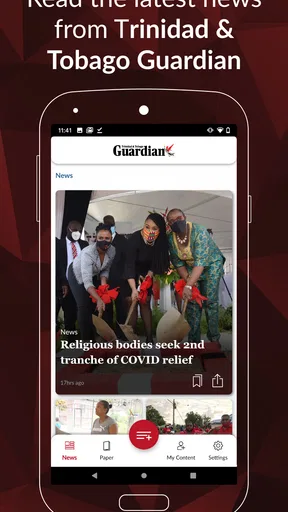
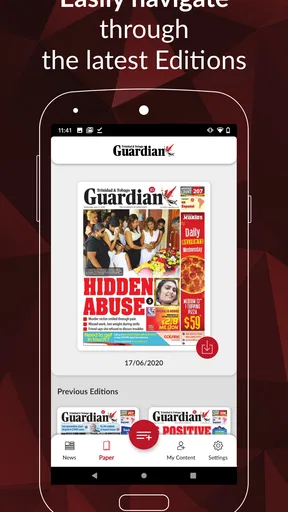
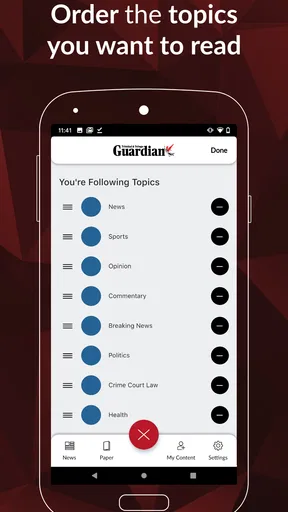
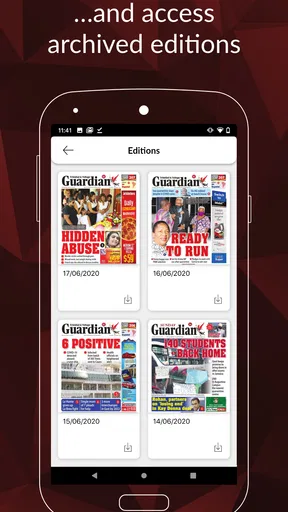
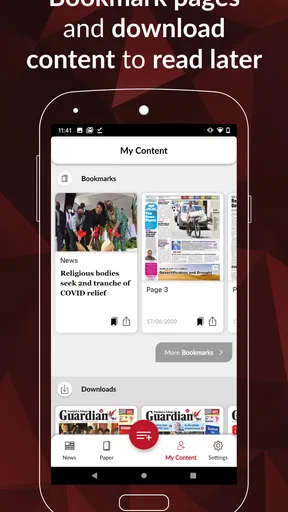
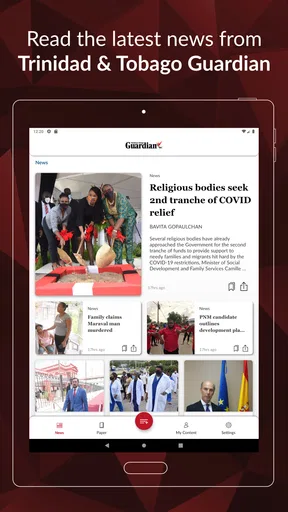
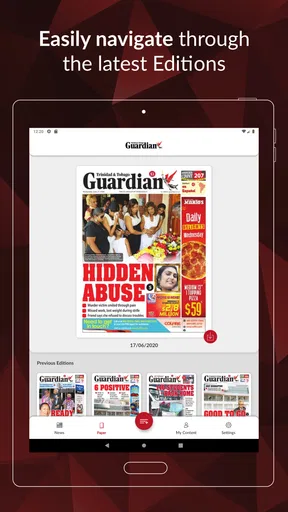
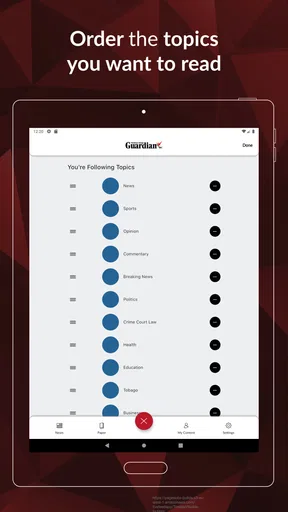
Our Review of The Digital Guardian
 Analysis by Appyee
I approached The Digital Guardian as a practical way to keep the Trinidad Guardian close without carrying a printed newspaper. It belongs to the News & Magazines category, comes from Guardian Media, and is free to install, so the basic decision is easy: if your daily reading is tied to Trinidad Guardian coverage, this is the most direct mobile option to try. My more useful question is whether it feels comfortable and dependable during real reading, especially when you move between quick headline checks and longer newspaper sessions.
The app has a modest average rating of 3.6 from around 255 ratings, with 11 written reviews, and its audience is still relatively small at over ten thousand installs. I would not treat those figures as a complete verdict. They suggest that prospective users should judge the experience for themselves, particularly because a newspaper app can be excellent for one reader and inconvenient for another depending on screen size, connection quality, and reading habits.
How The Digital Guardian Holds Up in Everyday Use
I look at trust in a newspaper app through the choices a reader can actually make, not assumptions about permissions or data handling. That matters here because a focused publication app can be useful without becoming the only place I get news. I’d start by deciding what role I want it to play, then consider which visible controls and reading habits help keep that role comfortable.
What speed feels like when you only want the news
For a quick morning check, the value of a dedicated newspaper app is focus. I do not have to search through a general news feed and sort local reporting from international stories, entertainment, or unrelated recommendations. Opening a publication-specific app gives the session a clear purpose: check what is happening, read the stories that matter, and leave. That narrower scope can make the experience feel faster even before considering loading time.
My advice is to use it with a simple routine rather than treating it like an endless social feed. Start with the main screen, scan the headlines, open the most relevant story, and return to the list when you are done. This reduces the small delays and distractions that often come from jumping between many apps. It is especially useful during a commute, a lunch break, or the few minutes before work when you want local awareness without committing to a long reading session.
Speed expectations should remain realistic. A newspaper application depends on the network connection and on how much content it needs to display, so a reader with a strong connection will naturally have a smoother time than someone trying to load articles in a weak-signal area. I would avoid opening it for the first time at the exact moment you need one urgent detail. Give the app a moment to settle, then read at your own pace instead of repeatedly tapping while a page is still responding.
One useful habit is to separate headline scanning from deep reading. If I am in a hurry, I look for the few stories that deserve attention and stop there. If I have more time, I open the longer pieces one by one rather than launching several at once. That approach is not glamorous, but it helps keep a small mobile news app feeling manageable and makes it easier to notice whether the experience is genuinely responsive on your particular phone.
Heavy-use moments and the cost of a long reading session
The app is more demanding when I use it as a full newspaper replacement rather than a short headline window. Long sessions mean more page changes, more images or article elements to process, and more time spent moving between sections. On a recent phone, that kind of use should be less concerning than it would be on older hardware, but the difference between a modern device and a basic handset can still be noticeable.
If your phone has limited storage, I would keep an eye on the overall space available before installing any news app, including this one. The application itself is not something I would describe as a heavy entertainment package, but news reading becomes less pleasant when the device is already struggling with storage or background tasks. Freeing a little room and closing demanding apps before a long session can make the whole phone feel more responsive.
Battery use is another practical consideration, although I would not install this app expecting it to behave like a simple text note. Reading with a bright screen, moving through many stories, and relying on mobile data all place more demand on a phone than checking one short update. For a long session away from a charger, I would lower the screen brightness to a comfortable level and avoid leaving the app open when I have finished reading.
A less obvious trade-off is convenience versus concentration. A dedicated publication app can keep me focused on Guardian coverage, but it may also encourage me to continue tapping through stories simply because they are available in one place. When I need a fast answer, that is helpful. When I am trying to limit screen time, I set a clear stopping point before opening it. The app works best when I decide whether I am doing a two-minute check or a proper reading session.
Stability, interruptions, and recovering from a failed session
Reliability matters more to me in a news app than visual polish. If a story takes a moment to load, I can tolerate that. What frustrates me is losing my place, having to repeat the same action, or being unsure whether a tap worked. My practical approach is to open one article at a time and allow it to load before rapidly switching between screens. That gives the app a better chance to recover gracefully when the connection is inconsistent.
When a page does not appear immediately, I would first check the connection rather than assuming the application is broken. Switching between mobile data and Wi-Fi, moving to a stronger signal, or closing and reopening the app are sensible first steps. If the problem affects only one session, I would treat it as a temporary loading issue. If it happens repeatedly on the same device, I would update the app and restart the phone before deciding whether it is worth keeping installed.
The current version is 5.3.0, which is the version I would look for when checking that the installation is up to date. Keeping it current is particularly sensible for a publication app because compatibility can change as Android versions and device software evolve. I would also make sure the phone itself is not running an unusually old system: the listed minimum is Android 5.0, so the app is accessible to older Android hardware, but minimum compatibility does not guarantee the same comfort as a newer phone.
Recovery is also about your reading workflow. If I am interrupted by a call or another notification, I prefer returning through the app’s article list rather than assuming the exact page will always be waiting in the same state. For an important story, I make a mental note of its headline before leaving. That tiny precaution matters when you are reading during a busy day and do not want to spend time searching for the same article again.
Device constraints that can change the experience
Screen size is probably the biggest factor in whether this app feels pleasant. On a larger phone, newspaper pages and article text have more breathing room, and I can read without constantly adjusting my grip. On a compact screen, the same material may require more scrolling and more careful tapping. I would recommend testing it on the device you actually use rather than judging it from the fact that it is available for Android.
Older phones deserve a more cautious recommendation. The Android 5.0 minimum makes the app available to a broad range of devices, but an older operating system often comes with slower hardware, less memory, and a battery that no longer performs like new. That does not automatically rule the app out. It does mean I would use a short trial period: open several stories, move back and forth between them, and see whether the phone remains comfortable rather than assuming compatibility equals smooth performance.
Data usage can matter just as much as processing power. If your mobile plan is limited, I would avoid casually browsing every available story over cellular data. Use the app for the articles you genuinely want and save longer reading for a reliable Wi-Fi connection when possible. This is one of the clearest situations where a general text-focused news source may be more economical, especially for someone who only wants brief alerts and does not need a publication-specific reading experience.
Notifications, display settings, and background activity can also affect how the app fits into your day, but I would configure those choices around your habits rather than turning everything on automatically. If you want a calm reading tool, keep interruptions limited. If you depend on timely updates, allow the app a more visible place in your routine. The right setup is personal, and the best result comes from deciding what you want the app to do before adjusting the phone around it.
How it compares with usual alternatives
The obvious alternative is reading the Trinidad Guardian through a mobile browser. A browser is more flexible: it can handle many publications in one place, avoids adding another app to the home screen, and may be preferable if you only visit occasionally. The dedicated app makes more sense when Guardian reading is a regular habit and you want a publication-centered experience rather than another open browser tab.
General news aggregators are better for people who want stories from many sources, quick comparisons, and a wider international mix. They can also be more efficient when your priority is breaking news across several publications. The trade-off is that local Guardian coverage becomes one item among many. I would choose the aggregator for breadth, but I would choose this app when the Trinidad Guardian itself is the source I actively want to follow.
Social media is faster for discovering that something has happened, yet it is less dependable as a complete reading environment. Posts can be brief, fragmented, or surrounded by distractions. A newspaper app offers a more intentional route into the publication. I would not use it as my only source for every subject, but I prefer it to social feeds when I want to sit down and read reporting without the conversation around it taking over.
There is also a simple cost question. The app is free to install, but in-app purchases are listed from $6.99 to $69.99 per item. That means I would check the purchase screen carefully before confirming anything and make sure I understand what a paid item provides. Someone who only wants occasional headlines may find the free installation sufficient, while a frequent reader should decide whether the available paid options match the value they expect from regular Guardian access.
Who should use it, and who should skip it?
I would recommend trying it if you live in Trinidad, follow Trinidad Guardian reporting, or want a focused mobile route to that newspaper. It is also a sensible choice for readers who prefer a dedicated publication over a browser full of tabs. The Everyone content rating makes it suitable for a broad audience, including households where the same device is used by different age groups.
I would be less enthusiastic for someone who wants a single app covering many newspapers, international sources, live updates, and personalized topics. This is not the right replacement for a broad news aggregator. I would also suggest skipping it if your phone is very old and already struggles with ordinary browsing, or if your data plan makes frequent image-heavy reading inconvenient.
For a realistic daily scenario, imagine checking the news before leaving home, opening one or two local stories during a break, and returning later for a longer read on Wi-Fi. That is the use pattern where I see the clearest benefit. The app stays tied to a specific publication, the routine is easy to repeat, and you are not asking a modest news reader to become a complete media hub.
My performance verdict
My overall view is positive but deliberately practical. The Digital Guardian is a focused News & Magazines app for readers who specifically want the Trinidad Guardian on an Android phone. Its free entry point, broad Android compatibility, and publication-specific purpose make it easy to test. I would judge it less by its install count or rating and more by whether it loads comfortably on your device, fits your data habits, and gives you the reading focus you want.
The main limitations are not reasons to reject it outright; they are reasons to choose it carefully. Heavy reading can place more demand on an older phone, weak connectivity can interrupt loading, and paid items mean the free installation is not necessarily the end of the purchasing decision. A browser is more flexible, while an aggregator is better for breadth. This app wins when the Guardian is the publication you return to repeatedly.
For me, the strongest recommendation is to treat it as a focused daily newspaper companion rather than an all-purpose news service. Start with short sessions, test it on both Wi-Fi and mobile data, and see how easily you recover after an interruption. If that routine feels smooth, The Digital Guardian earns a place on the phone. If you mainly want many sources in one stream, choose a broader alternative instead.
Verdict
Strengths of The Digital Guardian
- Monitors app activity and device usage in the background.
- Can help identify unusual behavior or potential security risks.
- Provides useful alerts when configured correctly.
- Supports a more proactive approach to digital safety.
- May be valuable for families managing connected devices.
Limitations of The Digital Guardian
- Some features may require a subscription or additional setup.
- Background monitoring can affect battery life on some devices.
- Privacy-conscious users may dislike extensive activity tracking.
- Alerts may occasionally be confusing or require manual review.
- Performance and available features can vary by device or platform.
Similar Picks in This Category
View All
Google News - Daily Headlines
Google LLC4.0

X
X Corp.4.8

Flipboard:Your Social Magazine
Flipboard3.4

Opera News: breaking & local
Opera4.5

Hindi News by Dainik Bhaskar
Dainik Bhaskar Group4.0

Way2News Daily News App
Way2News ( Formerly Way2SMS )4.6
Frequently Asked Questions
What is The Digital Guardian and what does it do?
The Digital Guardian is generally presented as a digital safety and monitoring solution designed to help users manage online activity, protect devices, and maintain better visibility over digital behavior. Depending on the version and platform, its features may include activity monitoring, alerts, content controls, privacy tools, or security-related reports. Before downloading, check the official description carefully because available functions can differ between Android, iOS, subscription plans, and regional releases.
Is The Digital Guardian safe to download and use?
The Digital Guardian should be downloaded only from the official Google Play Store or Apple App Store, rather than from unofficial websites or modified installation files. Because monitoring and security applications may request sensitive permissions, review the developer information, privacy policy, user reviews, and requested access before installation. Pay particular attention to permissions involving location, notifications, accessibility, contacts, or device activity, and enable only features you genuinely need.
What permissions does The Digital Guardian require?
The permissions required by The Digital Guardian depend on the features you activate and the operating system being used. A monitoring or protection app may request access to notifications, device activity, location, contacts, or usage information so it can provide alerts and reports. During setup, read each permission explanation carefully. If a request seems unrelated to the app’s advertised purpose, pause installation and verify the requirement with the developer.
Is The Digital Guardian free, or does it require a subscription?
The Digital Guardian may offer a free download while reserving some advanced tools for a paid plan, trial period, or recurring subscription. Before confirming payment, review the in-app purchase screen for the exact price, billing frequency, renewal conditions, and cancellation procedure. Also check whether the same features are available on both Android and iOS. Trial offers can automatically convert into paid subscriptions unless they are canceled before the stated deadline.
Will The Digital Guardian work on every Android or iPhone device?
Compatibility depends on the app version, your device model, operating-system version, available storage, and sometimes whether the device is managed by a parent, school, or organization. Check the current Google Play or App Store listing for minimum requirements before downloading. Some monitoring features may also require additional setup on another device or account, and certain functions can be limited by Apple or Android privacy and background-activity restrictions.
